Whoin / Community discovery
Whoin: from community idea to mobile app

Whoin was built to help people explore communities and make connections. As co-founder, I worked across product design and implementation, using feedback to refine the interface and React Native to turn it into a working mobile app.
Result
Launched a community discovery app, carrying the work from interface design through React Native implementation.
- Year
- 2019–20
- My scope
- I co-founded Whoin and led its design in Figma and development in React Native, carrying the experience from early designs into a released app.
The Whoin mobile experience
The original Whoin mobile walkthrough, preserved alongside its interface and prototype artifacts.
Open demo videoRefining the experience through feedback
The goal was to make exploration and connection feel approachable. I designed the interface in Figma and iterated on it using user feedback, refining the experience as the product took shape.
Working across the different screens helped establish a coherent visual language for the app and the interactions connecting them.
Carrying the design into a working app
I implemented Whoin in React Native, taking responsibility for the transition from interface designs to a functional mobile product. That connected the design decisions directly with the behavior people experienced in the app.
The release brought those design and development efforts together in a product for discovering and engaging with communities.
◇Artifacts
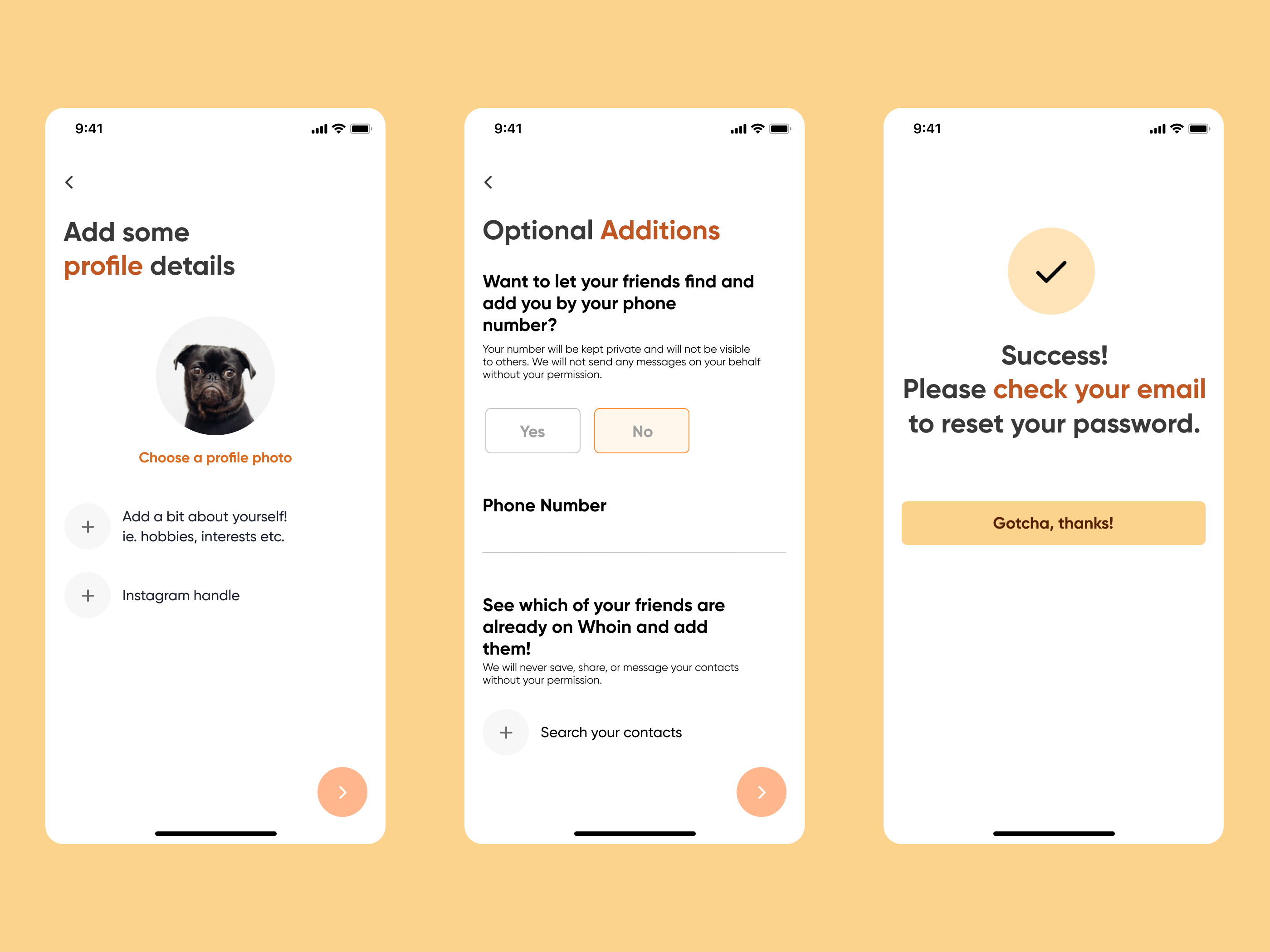
Profile setup, optional phone and contact discovery, and password-reset confirmation show supporting account flows.Open full-size image 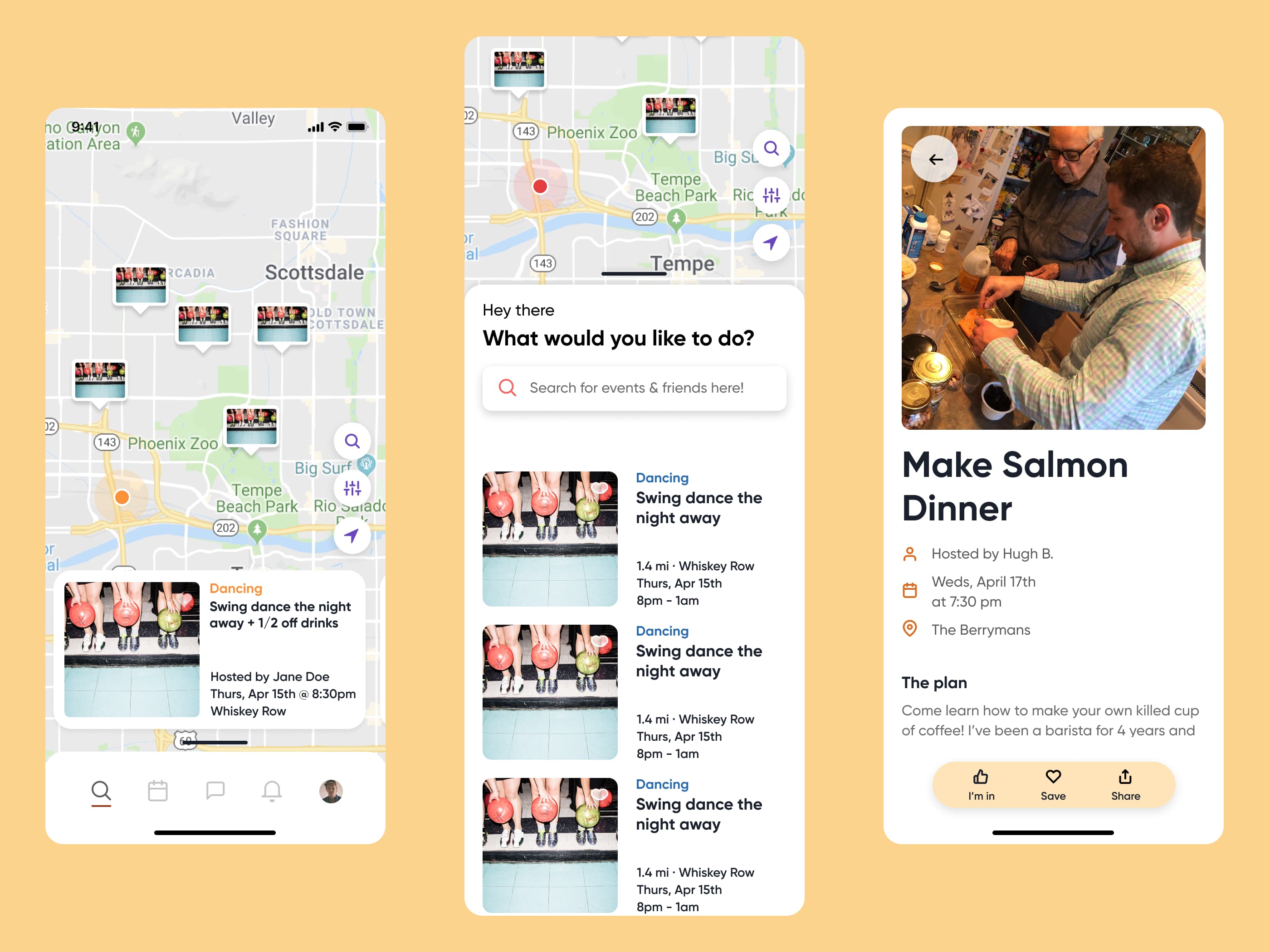
Map discovery, an event list, and event details connect nearby activities with their hosts, schedules, and attendance actions.Open full-size image 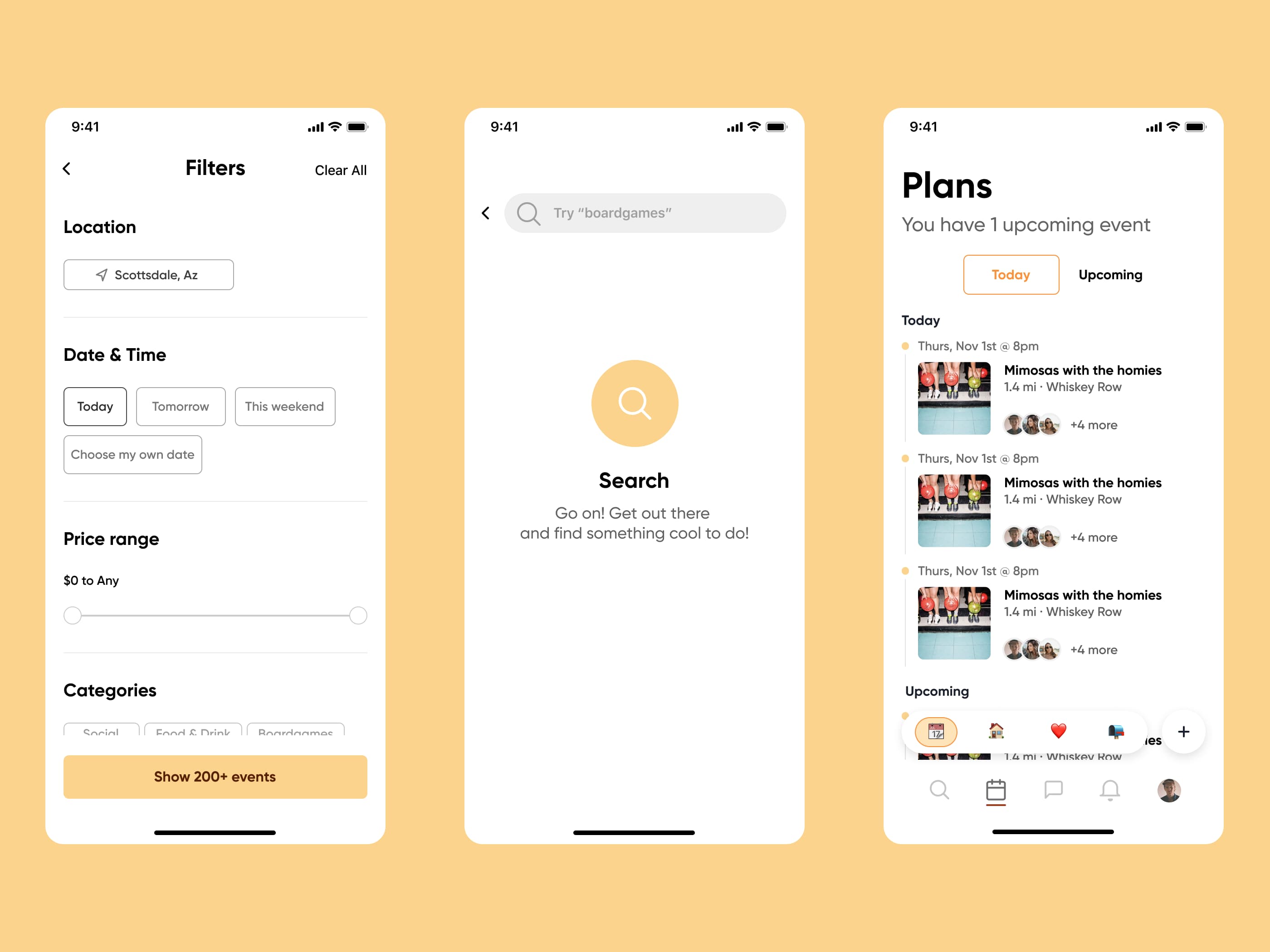
Location, time, price, and category filters sit alongside search and a calendar-style view of upcoming plans.Open full-size image 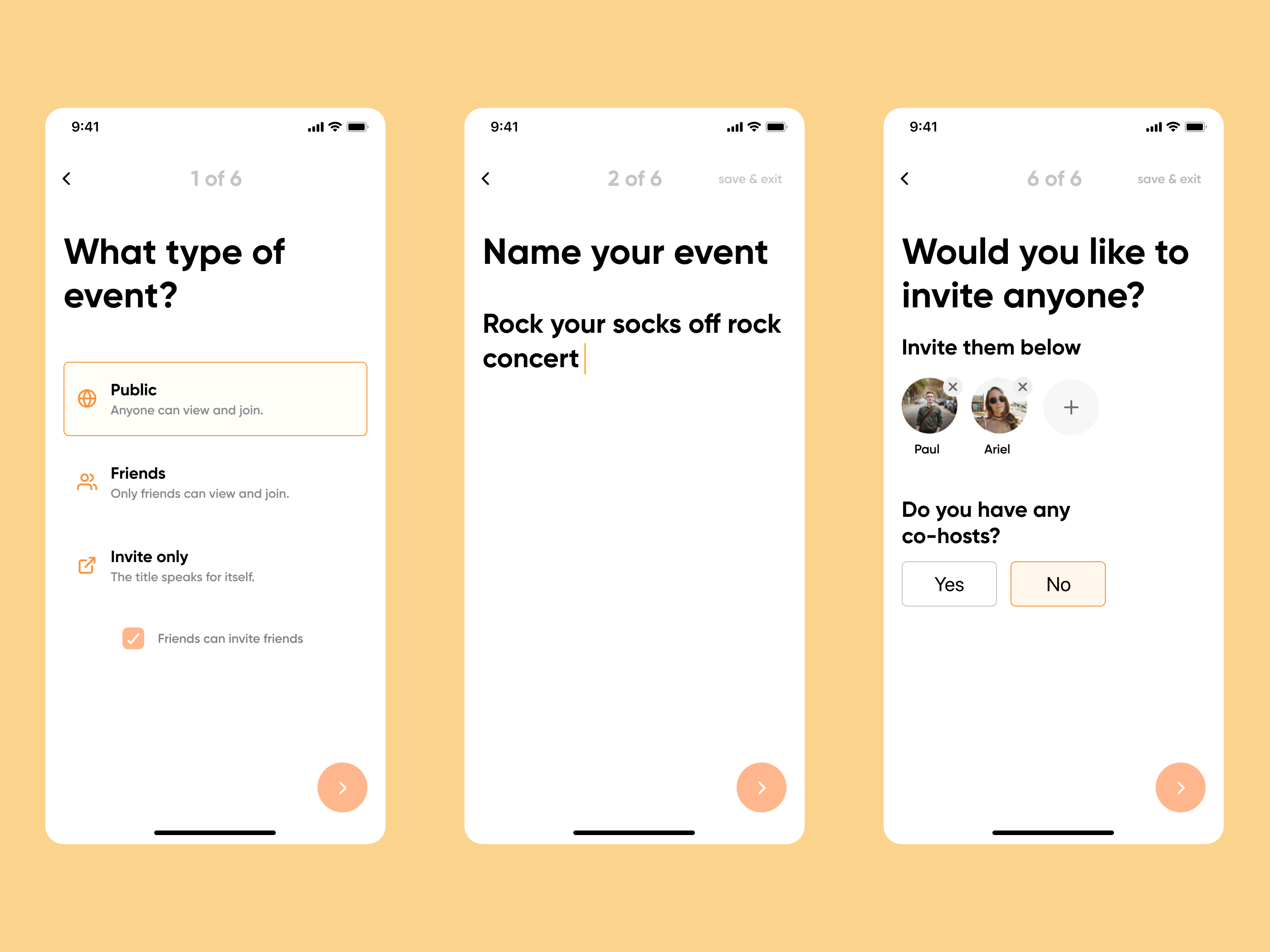
The event-creation flow covers visibility, naming, invitations, and co-hosts.Open full-size image 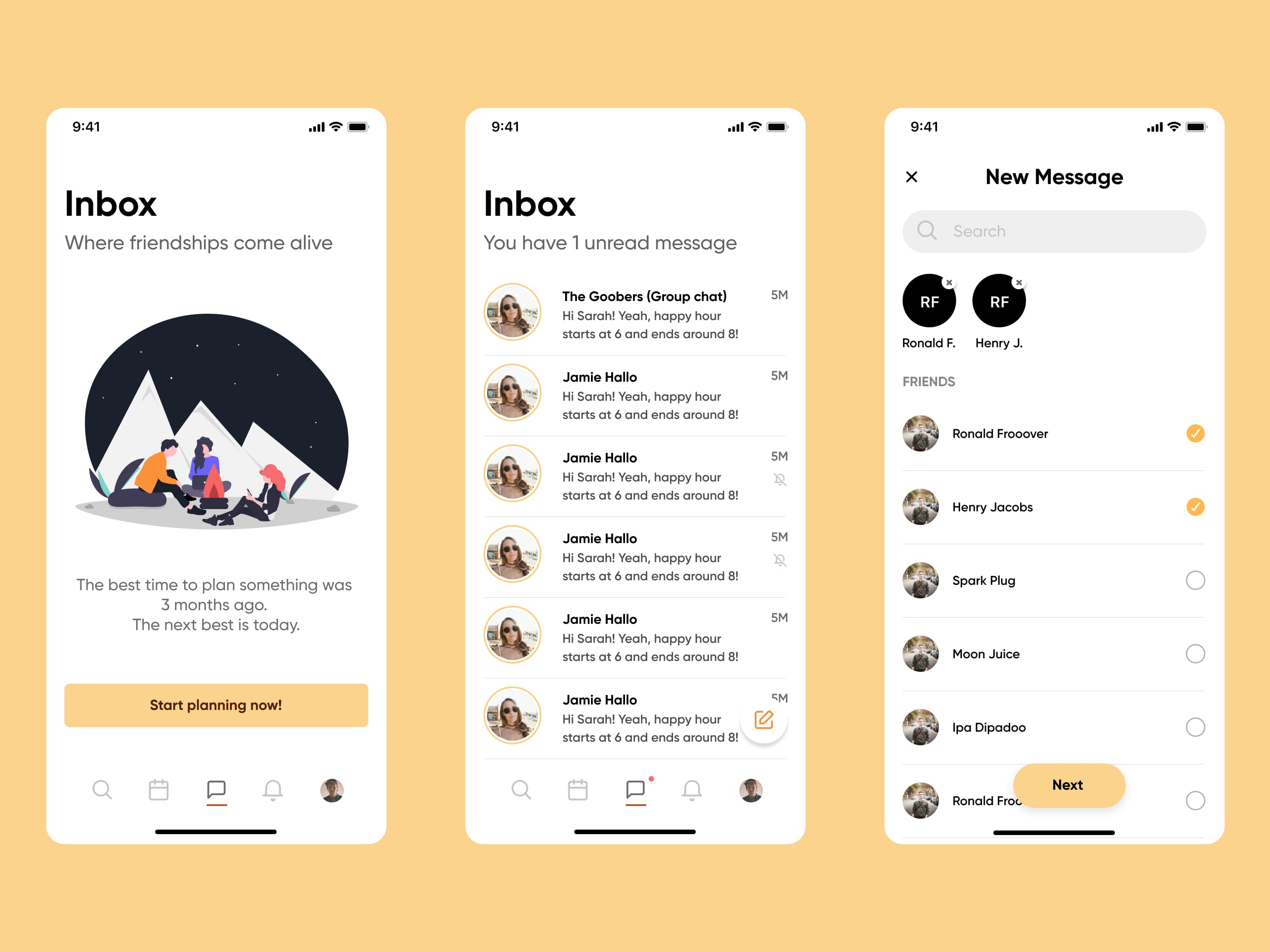
The messaging experience includes an empty inbox, active conversations, and selecting people for a new message.Open full-size image 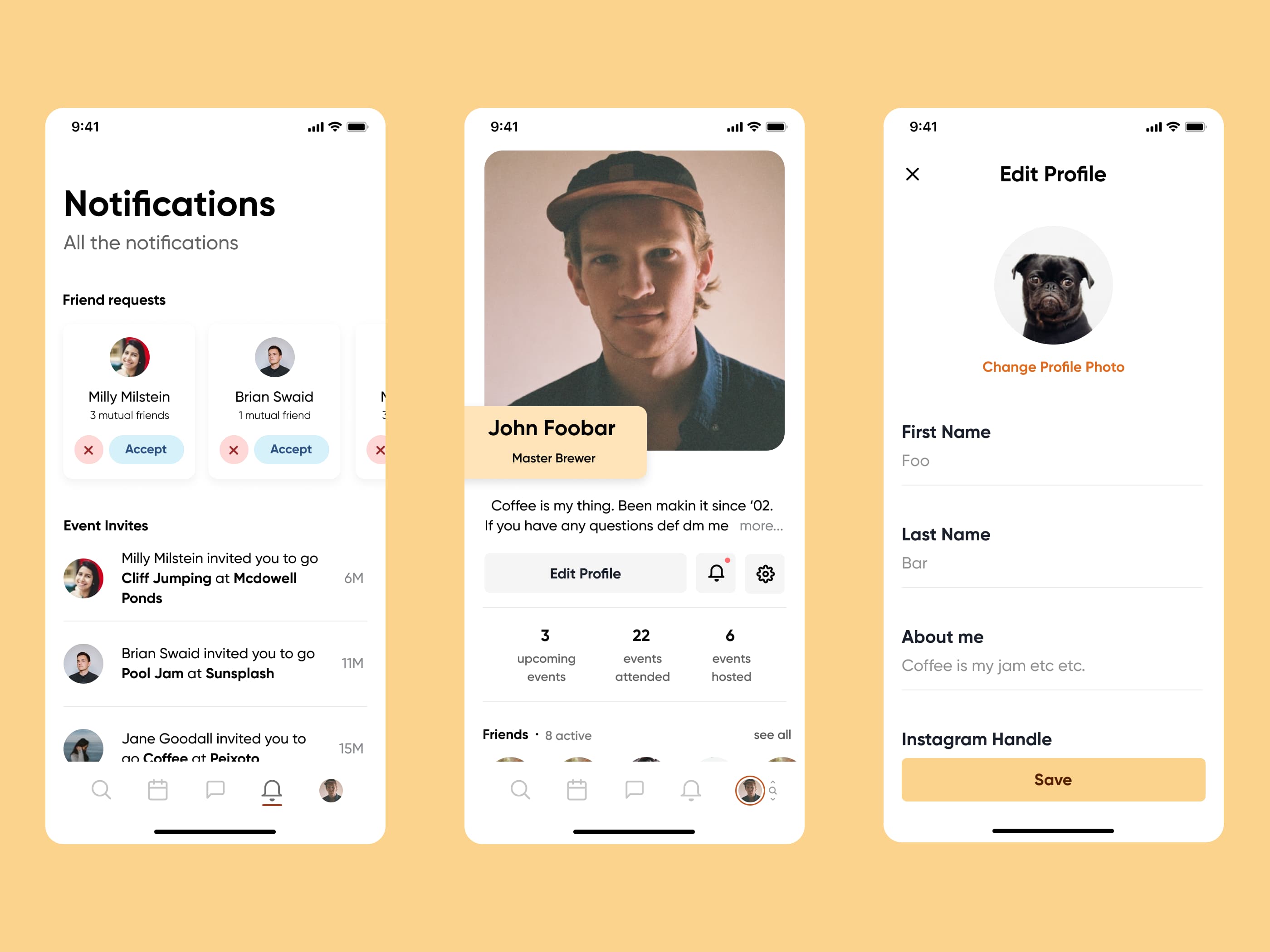
Friend requests and event invitations sit alongside profile details and profile editing.Open full-size image 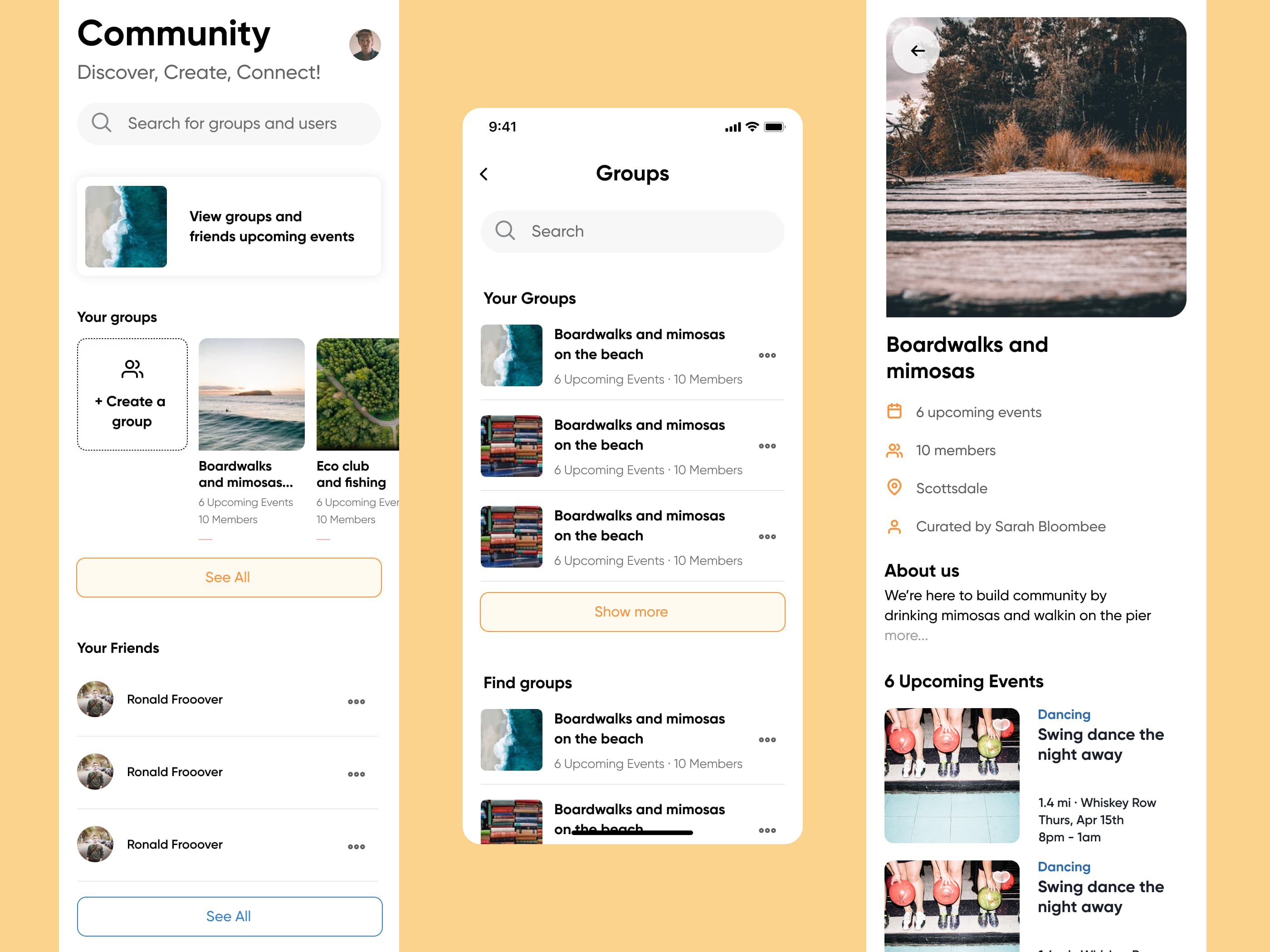
Community discovery, group lists, and group detail pages connect members with shared interests and upcoming events.Open full-size image 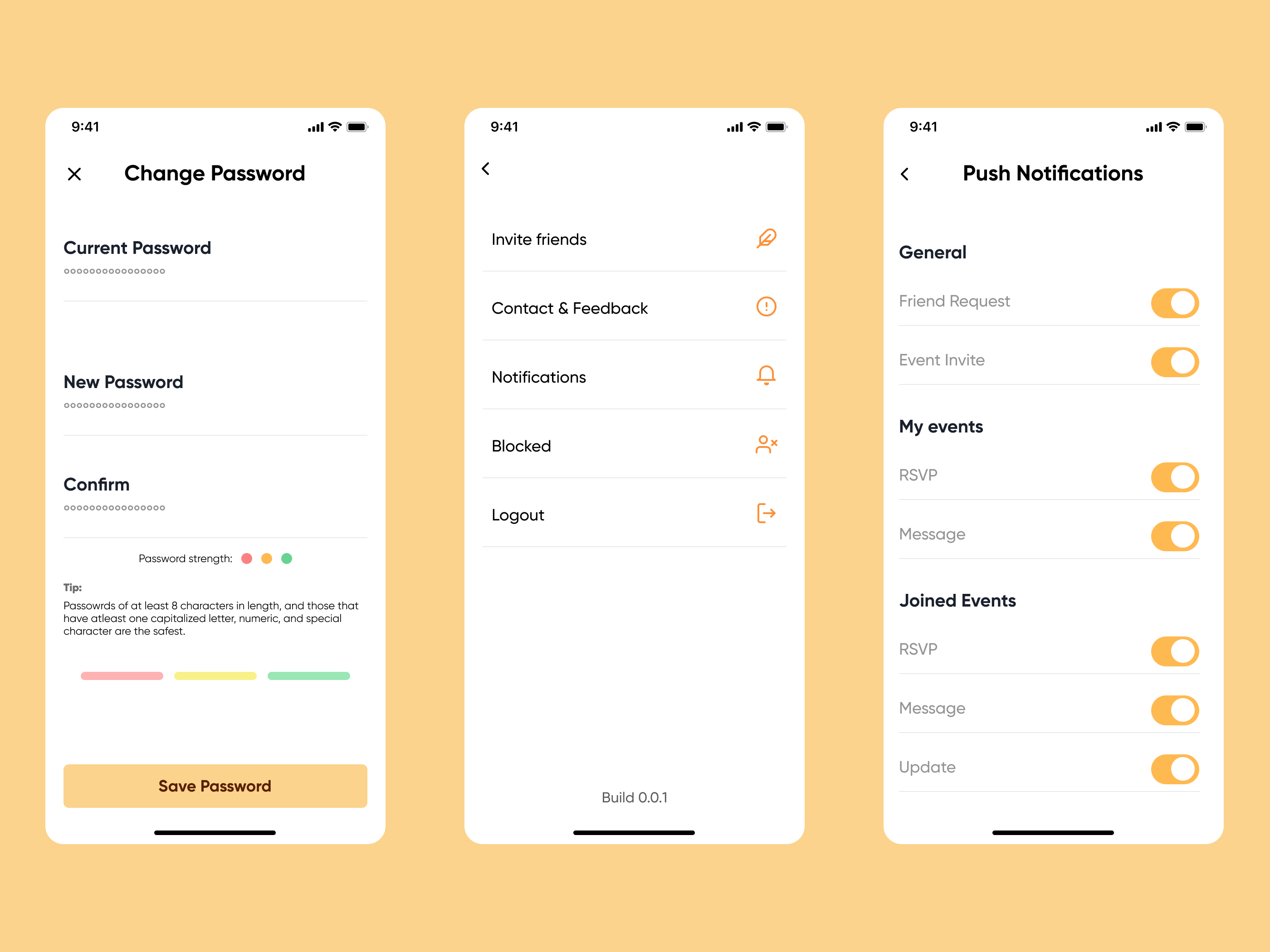
Account settings cover password changes, feedback, blocked users, and notification preferences.Open full-size image 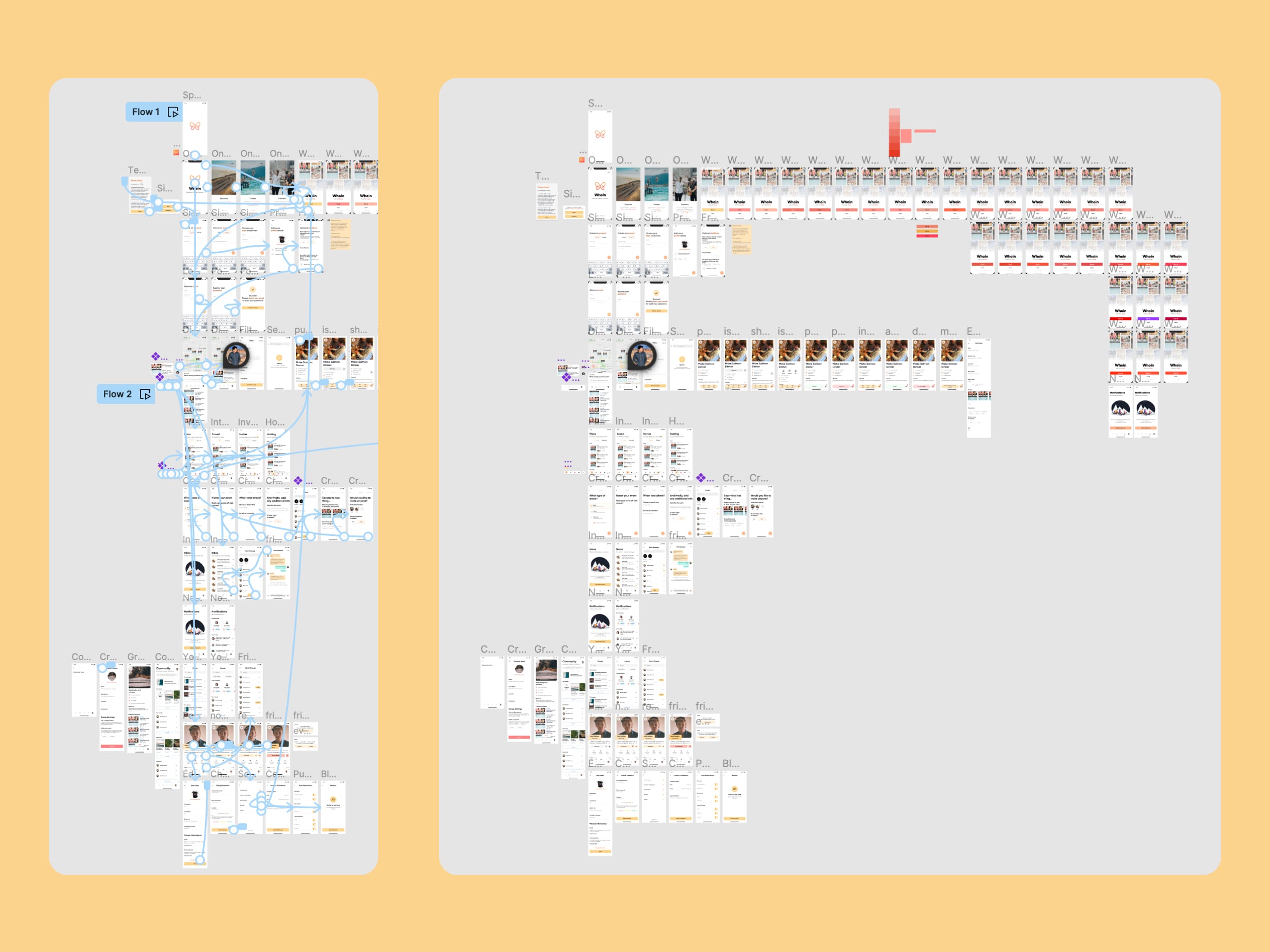
The full design canvas shows Whoin's screen inventory and the prototype connections between flows.Open full-size image


